“Fast WiFi” Isn’t a Technical Specification
When property managers compare internet proposals, nearly every provider promises fast, reliable, seamless service. Yet those descriptions do not identify the wireless standard that residents will actually use. Understanding Wi-Fi 6 vs 6E vs 7 for apartments helps property teams ask better questions about performance, cost, and future upgrades.
A building’s experience depends on far more than the generation printed on a router. Access-point placement, wired backhaul, channel planning, resident-device compatibility, and ongoing monitoring all influence day-to-day reliability.
Wi-Fi 6: A Strong Foundation for Busy Buildings
Wi-Fi 6 (802.11ax) improves efficiency in environments where many connected devices compete for airtime. Technologies such as OFDMA and multi-user MIMO help compatible access points serve users more effectively. For apartment communities with phones, laptops, security devices, streaming equipment and smart-home products, those improvements can matter more than headline maximum speeds.
Where Wi-Fi 6 Still Makes Sense
In well-designed networks, Wi-Fi 6 remains an effective option for many multifamily properties. Performance depends on proper access-point density and configuration rather than simply installing a newer router. Managers should request a coverage plan and capacity assumptions, not just a list of hardware models.
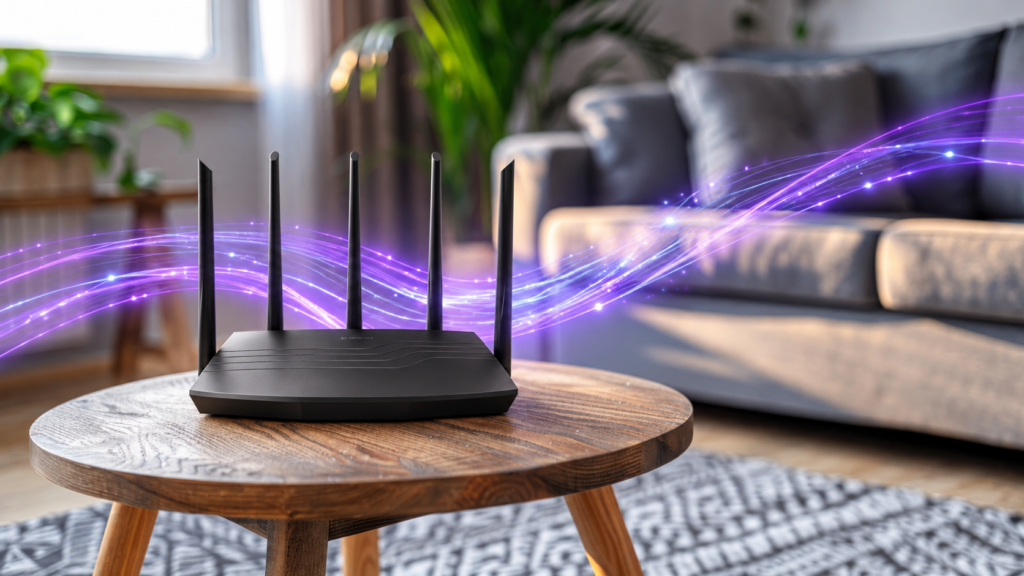
Wi-Fi 6E: Adding the 6 GHz Band
Wi-Fi 6E brings Wi-Fi 6 capabilities into the 6 GHz spectrum, where supported devices may find additional channels and less competition from older Wi-Fi equipment. This can be particularly valuable in dense buildings where nearby 2.4 GHz and 5 GHz networks overlap.
The tradeoff is practical: 6 GHz signals generally experience greater attenuation through walls than lower-frequency signals, so coverage design matters. Residents also need compatible devices to use the new band. A 6E upgrade cannot compensate for inadequate access-point placement or an overloaded internet connection.
Wi-Fi 7: More Flexibility for High-Demand Properties
Wi-Fi 7 (802.11be) adds capabilities including Multi-Link Operation (MLO), which can allow compatible devices and access points to use multiple links for improved throughput, latency, or reliability. Wider channels and other efficiency improvements also raise the performance ceiling under suitable conditions.
That makes WiFi 7 multifamily housing a useful research topic for developers planning long-lived networks, student housing with substantial device density, or communities expecting more connected services. But the highest-generation access point is not automatically the best investment for every property: client compatibility, RF design, backhaul capacity, and budget still determine the outcome.
Comparación rápida para administradores de propiedades
Standard
Main advantage
Practical limitation
Best-fit consideration
Wi-Fi 6
Efficient service for many devices
Uses familiar 2.4/5 GHz bands
Strong baseline for many properties
Wi-Fi 6E
Adds 6 GHz spectrum
Requires 6 GHz-capable devices; plan for walls
Dense environments needing more clean spectrum
Wi-Fi 7
MLO and additional capacity features
Benefits vary by client, deployment and backhaul
High-demand or forward-looking deployments
The Better Vendor Question: What Covers the Whole Property?
The best WiFi generation for apartment buildings is the one that matches a documented coverage and capacity plan. Ask the provider to identify installed standards, supported frequency bands, typical client compatibility, and the expected performance in apartments, hallways, elevators, and amenity areas.
For teams evaluating managed WiFi for multifamily, a centrally administered network can simplify monitoring and support across shared spaces. However, “seamless roaming” requires compatible client devices and appropriate network design; it is not guaranteed solely by a Wi-Fi version.
property-wide WiFi coverage also requires site surveys, suitable access-point positioning, and a backhaul that can support simultaneous demand. Buildings should ask for a heat map, a documented roaming design, and a clear procedure for investigating recurring dead zones.
Choosing the Right Standard Without Overpaying
When discussing Wi-Fi 6 vs 6E vs 7 for apartments, request a side-by-side proposal showing hardware life cycle, projected device density, upgrade paths, network management, and any installation disruption. The vendor should explain not only what is newest, but also what residents will actually notice.
In older properties, fixing poor coverage or insufficient wired connectivity may produce a larger practical improvement than installing premium access points. In new construction, planning cable pathways, power, and access-point locations early can lower the cost of later upgrades.
Key Takeaways
Wi-Fi 6 is a capable baseline for many device-dense environments when correctly designed.
Wi-Fi 6E adds access to 6 GHz spectrum for compatible devices, but coverage and wall penetration require planning.
Wi-Fi 7 introduces MLO and other enhancements; results depend on devices and network design.
Request the exact standard, coverage design, backhaul capacity and ongoing support plan in writing.
A property-wide network strategy matters more than marketing claims about “fast WiFi.”
Know Exactly What Is Running in Your Building
A thoughtful Wi-Fi upgrade begins with a property assessment. Celerity Air offers community-wide managed Wi-Fi designed to support connectivity beyond individual apartments and into shared spaces. Ask which access-point generations and management features are included in your specific proposal rather than assuming every property uses the same equipment.
If your property is evaluating Wi-Fi 6 vs 6E vs 7 for apartments, request a network assessment to review current coverage, infrastructure, and upgrade priorities.